Smart Receipt Scanner
& Expense Tracker

Digitize receipts and simplify your expense tracking in seconds. Scan receipts, get structured AI parsing, review before save, and keep records organized with cloud sync.

Now live

Receni, now on your computer.

The Receni web app is here. Log in with the account you already use on your phone. Your receipts, budgets, mileage and Premium plan are all there, kept in sync.

  • Drag in receipts and PDFs. Receni AI reads them for you
  • Review, edit and export with a full keyboard and a big screen
  • One account and one plan on your phone and your computer

Chrome, Safari, Edge and FirefoxSyncs with the iPhone and Android apps

receni.com/app
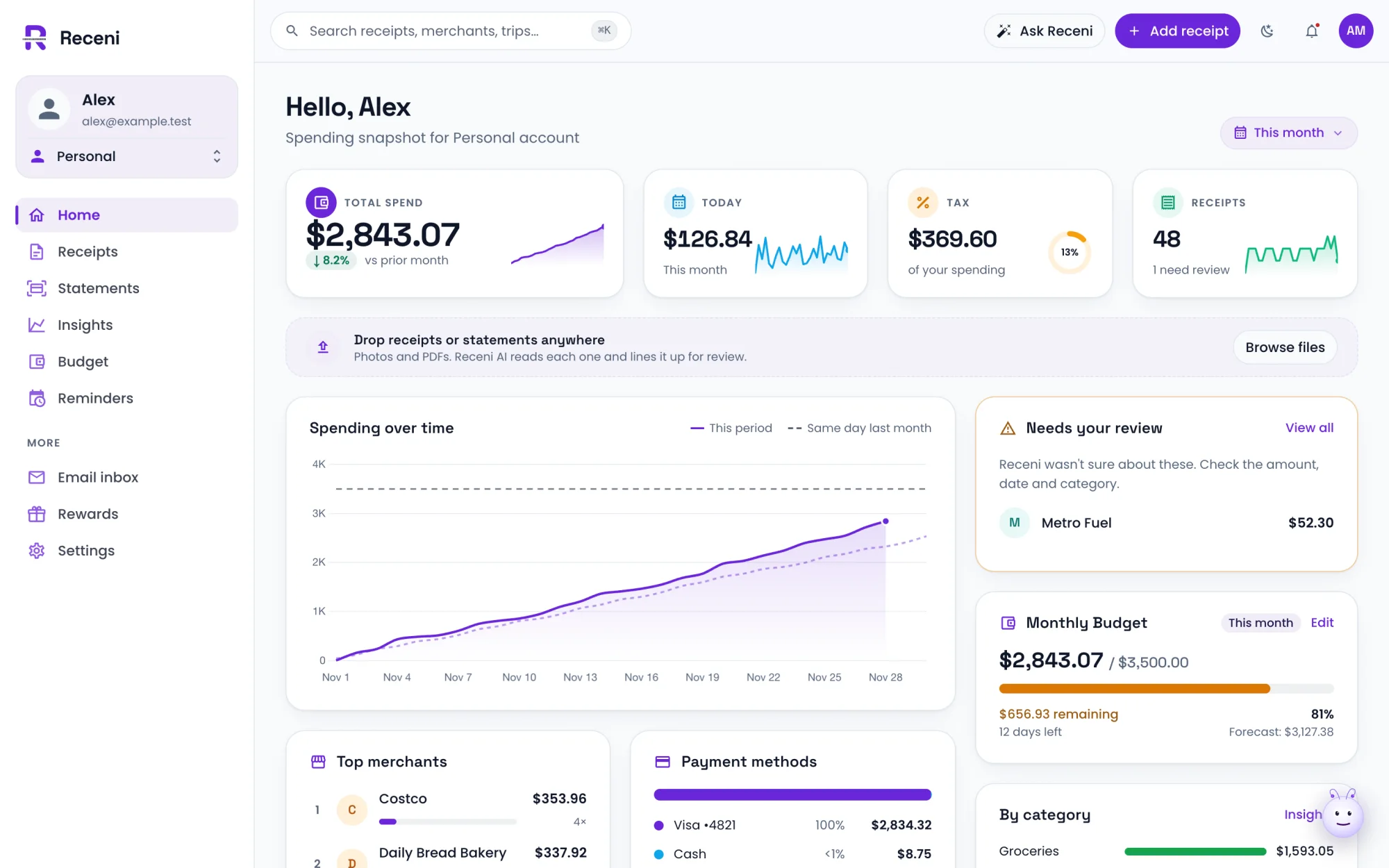
The Receni web app home screen: this month's spending, tax and receipts, a spending chart, a monthly budget and receipts waiting for review.
Receni on the web, signed in on a computer.
Features

Everything you need to
stay organized

From the receipt in your hand to the report your accountant needs, in one app.

  1. Capture

    Snap a receipt. AI fills it in.

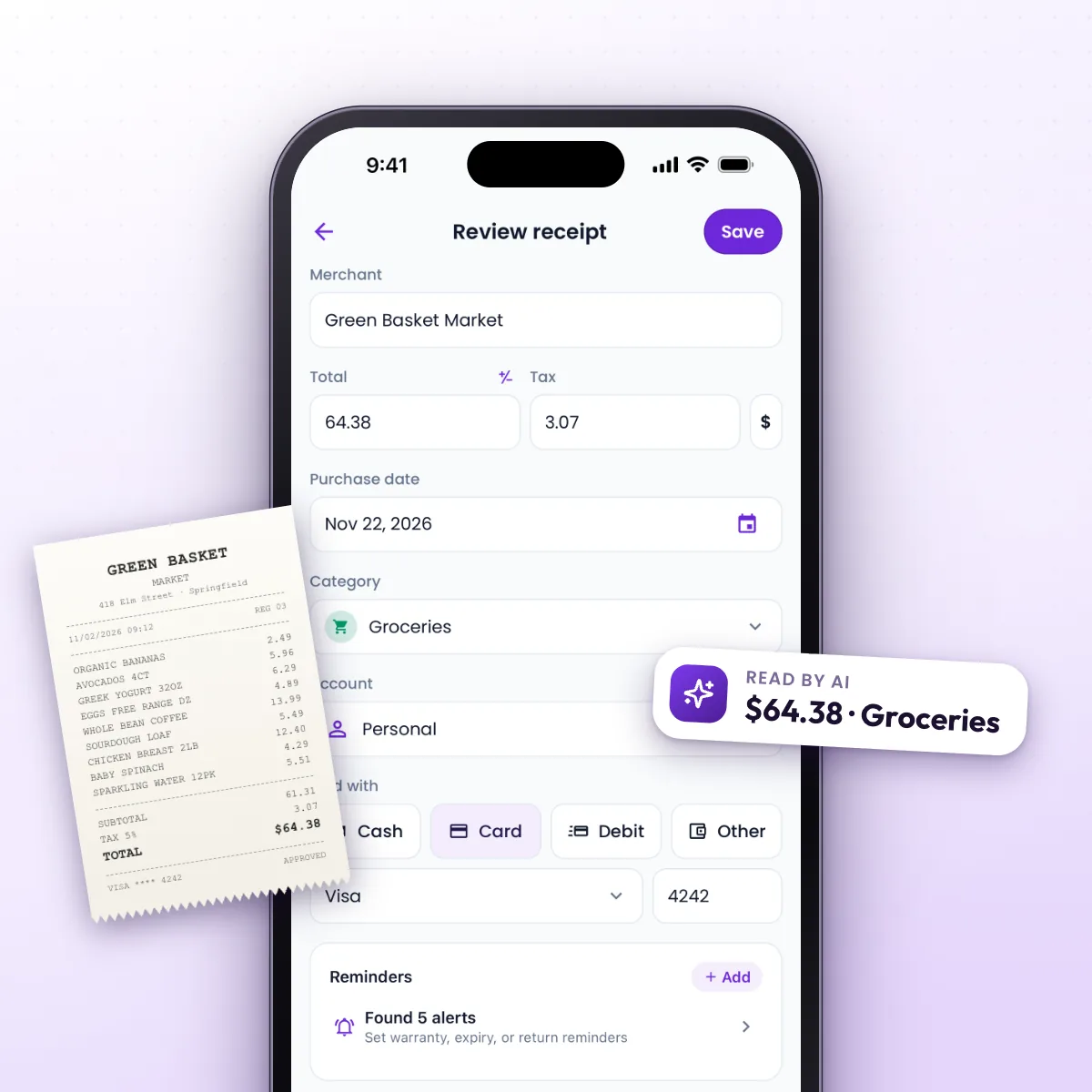
    Take a photo or upload a PDF. Receni reads the store, total, tax, date and category, and you check it before saving.

    • Camera, photo or PDF
    • Store, total, tax and date read for you
    • Review before you save
    Receni review screen after scanning a grocery receipt: store, total, tax, date and category filled in
  2. Mileage

    Every drive, logged automatically

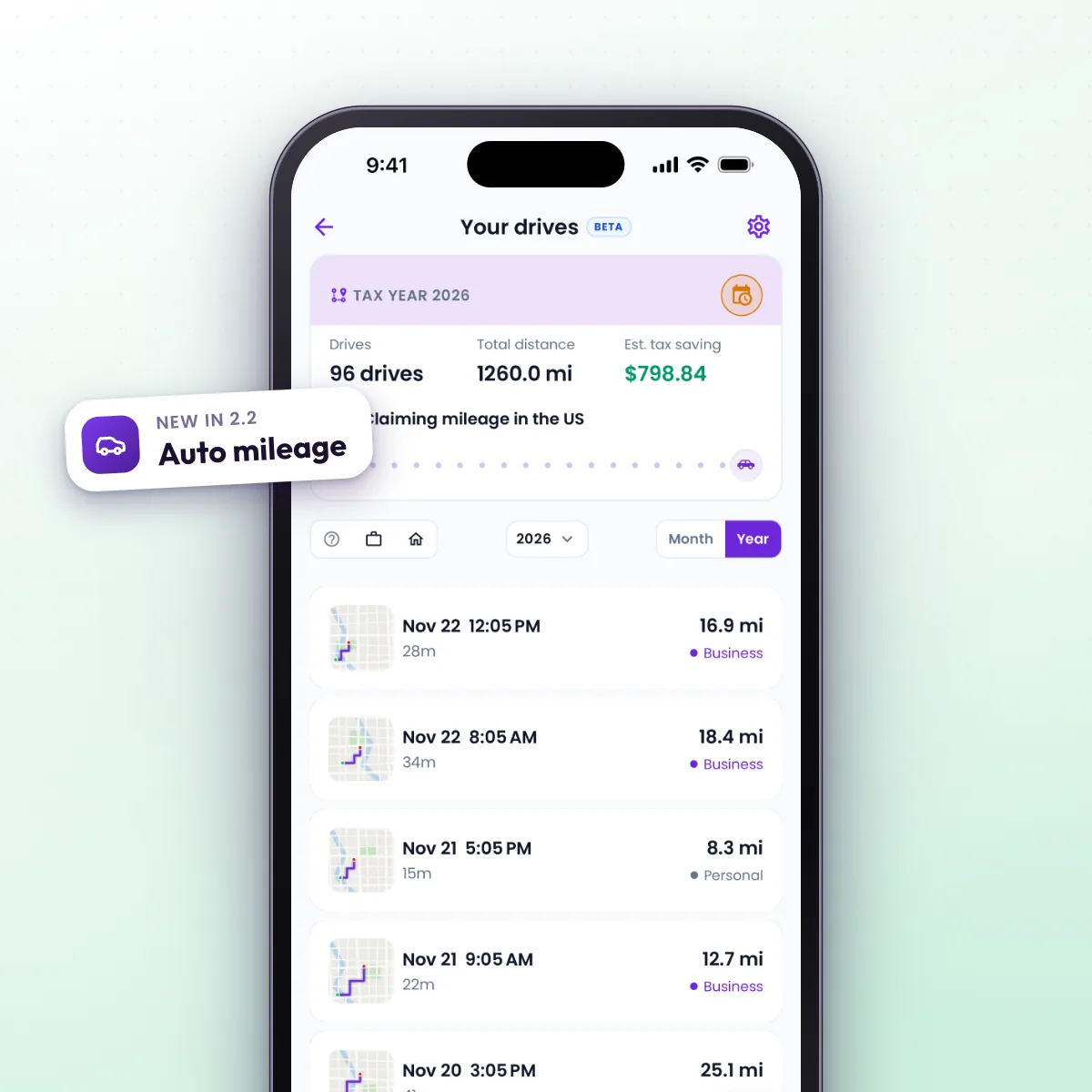
    Receni records business drives in the background with the date, distance and both addresses, so your mileage log builds itself.

    • Automatic drive detection
    • Business or personal with a swipe
    • 30 free tracked trips a month
    Receni drives list with the tax-year total of drives, distance and estimated tax saving
  3. Insights

    See where your money goes

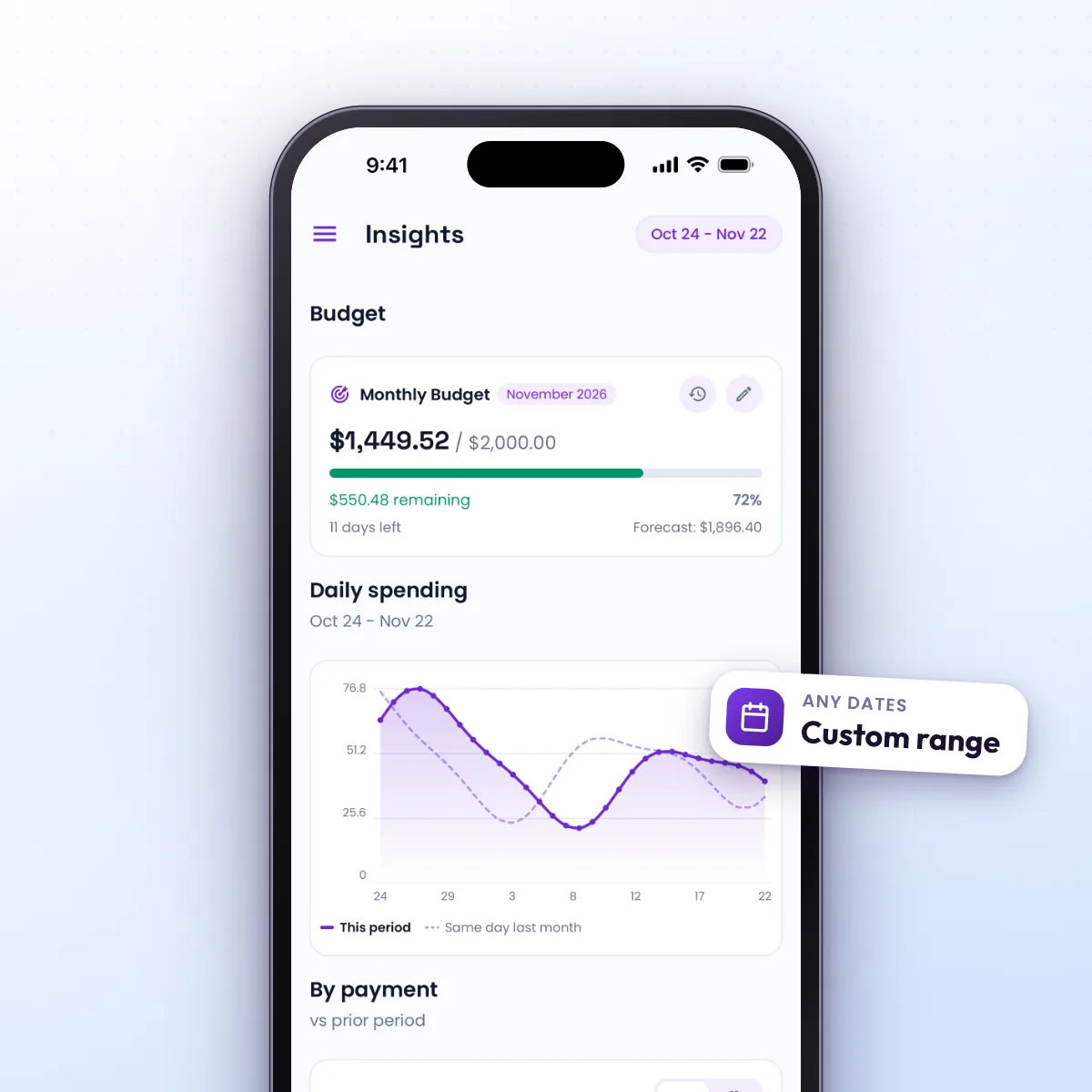
    Spending trends, budget progress and category breakdowns for any date range you pick.

    • Daily spending trend
    • Custom date ranges
    • Compared with last period
    Receni insights screen with the monthly budget and a daily spending chart
  4. Budgets and export

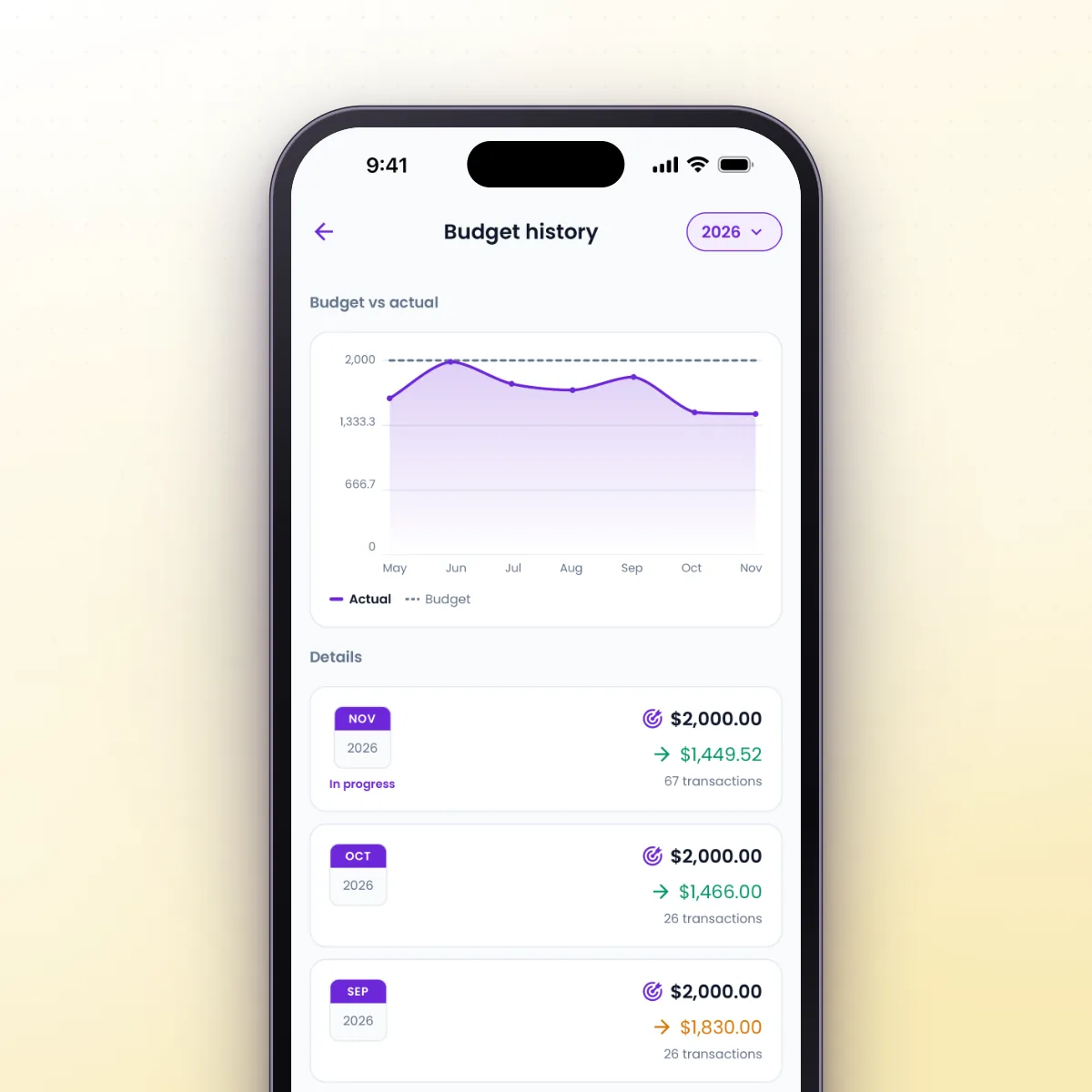
    Stay on budget, month after month

    Set a monthly budget, see each month against it, and export your receipts to CSV for bookkeeping and tax time.

    • Monthly budgets
    • Budget history by month
    • CSV export
    Receni budget history chart comparing actual spending with the budget each month
  5. Reminders

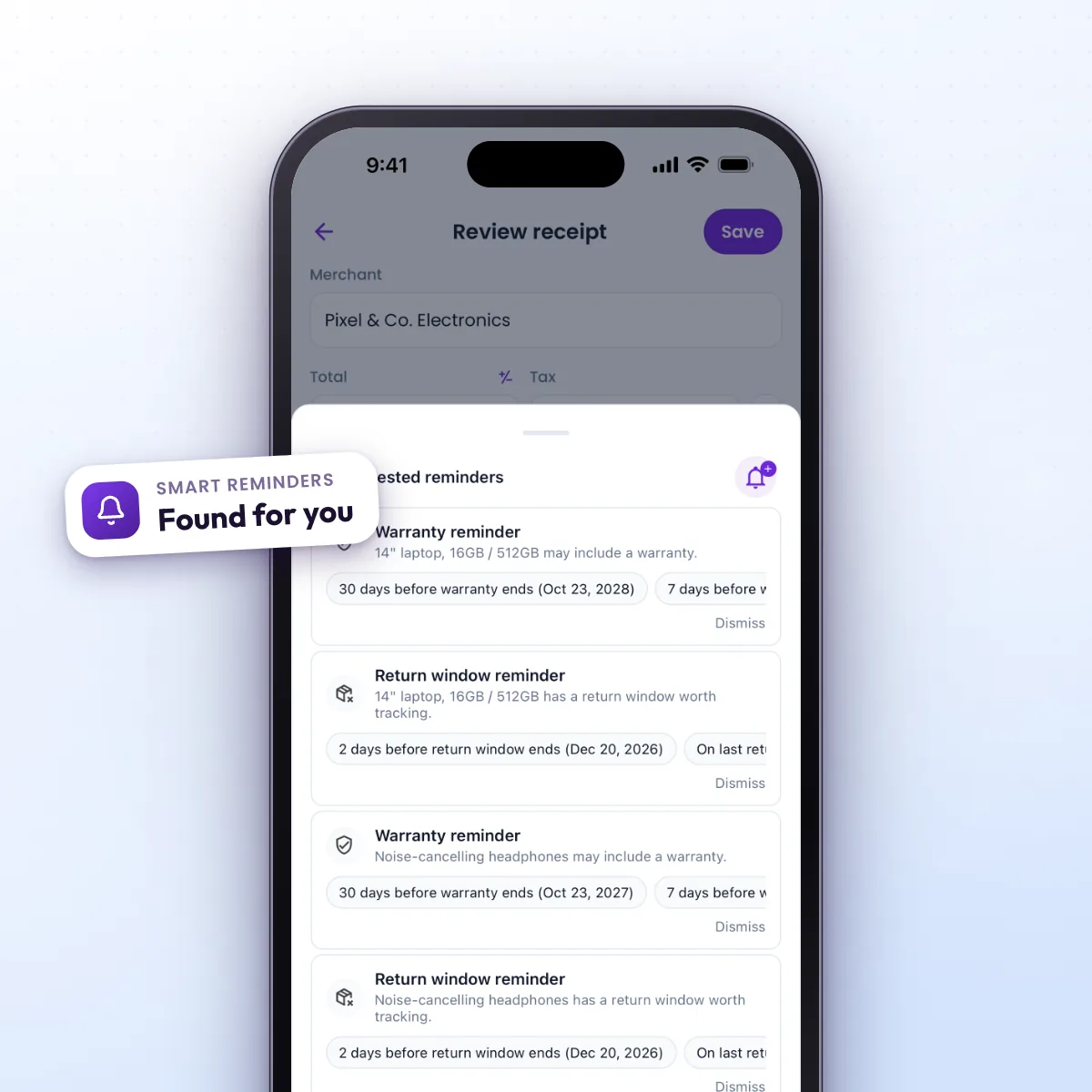
    Never miss a warranty or return

    Receni spots warranty and return dates on your receipts and reminds you before they run out.

    • Found on the receipt for you
    • Warranty and return windows
    • Reminder before the date
    Receni suggested reminders for warranty and return windows found on an electronics receipt
  6. Assistant

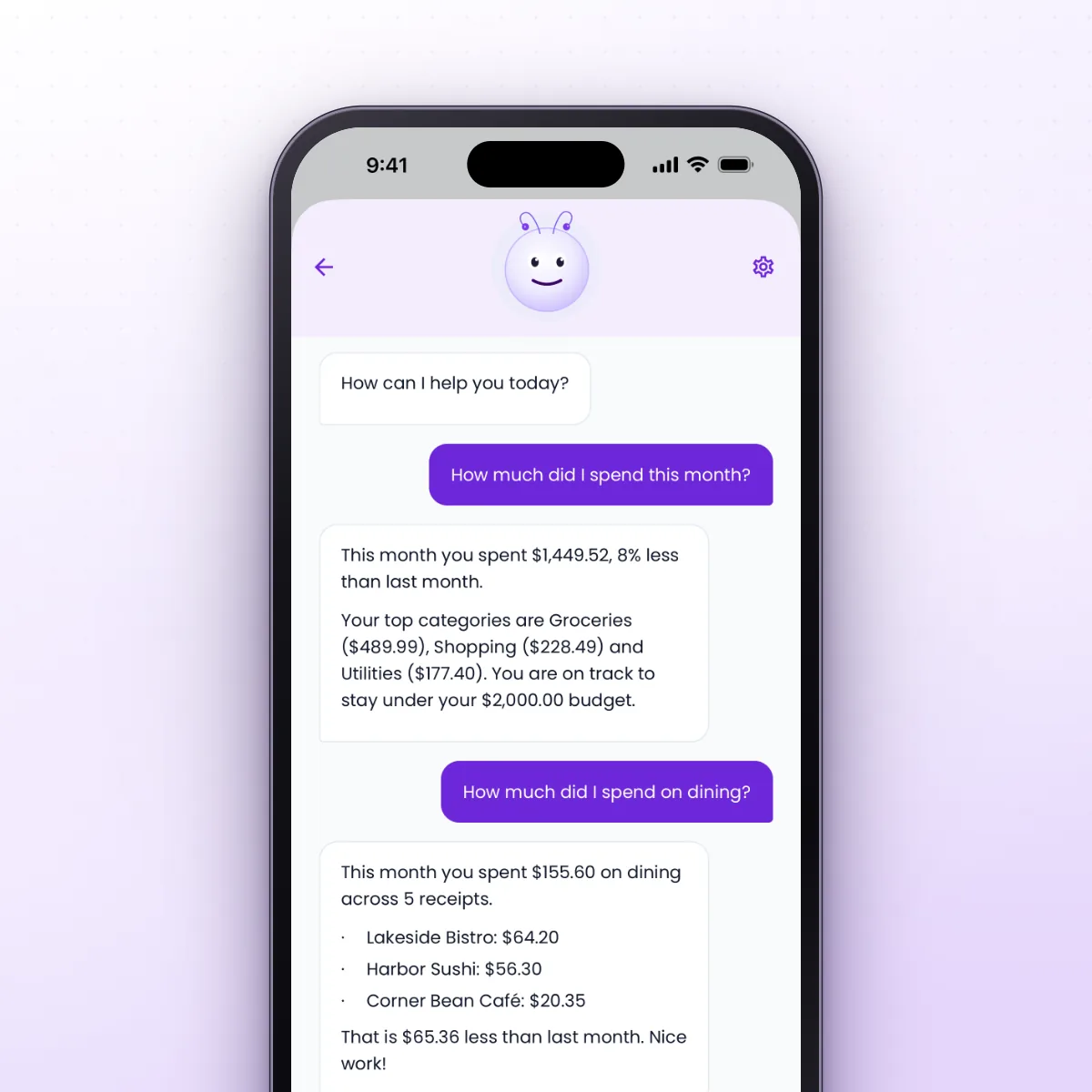
    Ask about your spending

    Ask in plain words, like how much you spent on dining this month, and get an answer from your own receipts.

    • Plain-language questions
    • Answers from your receipts
    • Totals by store and category
    Receni assistant answering how much was spent this month and on dining
  7. Rewards

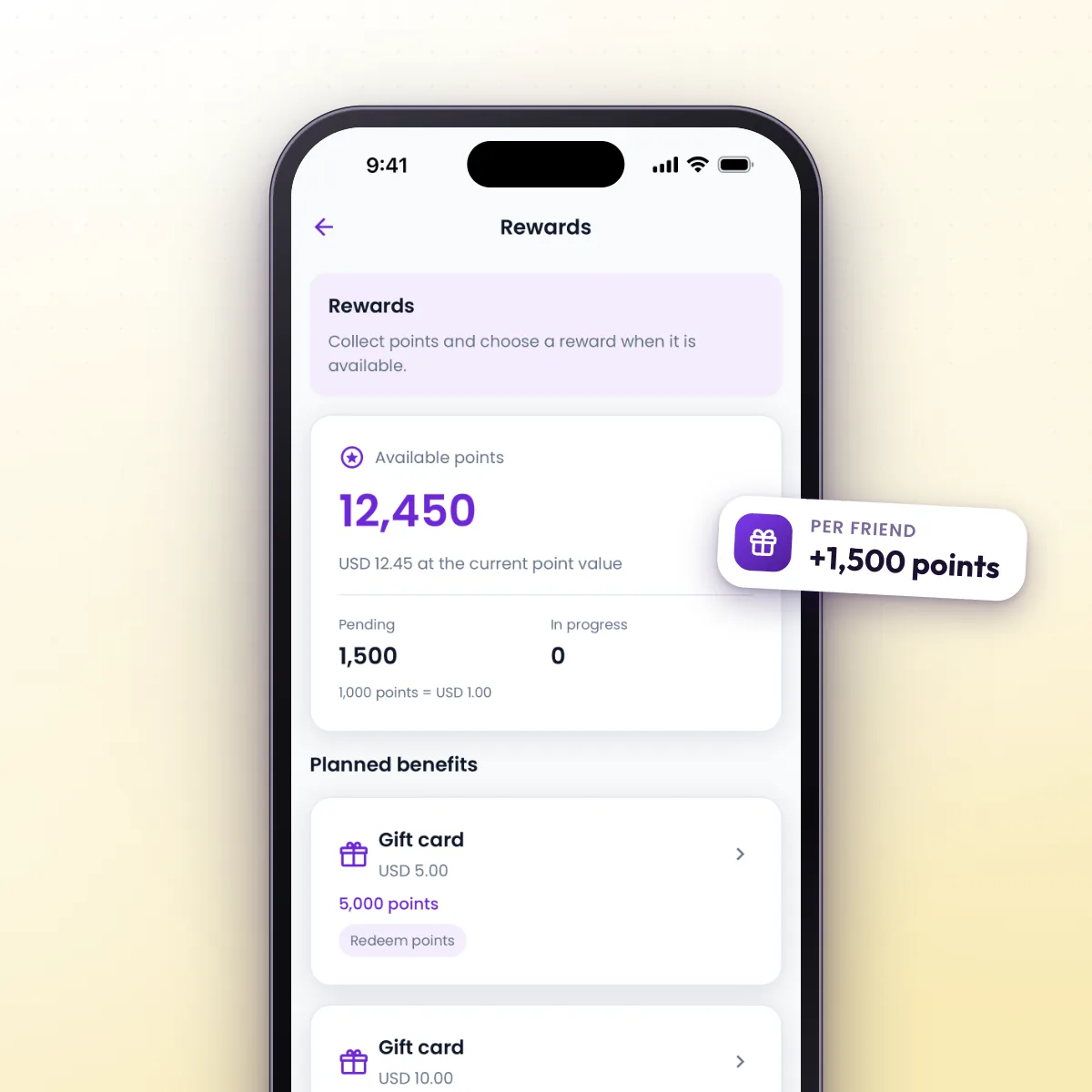
    Invite friends. Earn gift cards.

    Share Receni with friends. You earn points when they join, then swap your points for gift cards.

    • Points when a friend joins
    • Swap points for gift cards
    • Gift cards from $5
    Receni rewards screen showing available points and gift cards to redeem
How it works

Three steps to total
expense clarity

From receipt in hand to organized dashboard in under 10 seconds.

Step 01

Capture

Snap a photo or upload a PDF receipt. Works for printed slips, email confirmations, and shared images.

Under 2 seconds per receipt

Step 02

Parse

Receni reads merchant, date, tax, totals, and line items automatically, ready for a quick review before save.

MerchantWhole Foods Market
DateMay 25, 2026
Subtotal$44.18
Tax$4.05
AI-structured fields you can trust
Step 03

Track

Spend lands in your dashboard with categories, budgets, and exports, organized by workspace from day one.

This month+18%
CSV exports ready for accountants
Try Receni free

No credit card. Works on iOS and Android.

Plans

Start free.
Upgrade when you scan more.

Free includes every feature — the only caps are AI scans and tracked mileage trips. Premium lifts both and bills through the App Store or Google Play; see current offers in the app. Need volume, security reviews, or a tailored rollout? Talk to us about Enterprise.

Free

  • 30 AI receipt scans per month
  • 30 tracked mileage trips per month
  • Unlimited manually entered receipts
  • One personal account
  • Budgets, insights, and CSV export
  • Multi-currency support
  • Community support
Get Receni

Premium

  • Unlimited AI receipt scans
  • Unlimited mileage trips
  • Everything in Free, with no caps
  • Unlimited personal and business accounts
  • Budgets across workspaces and categories
  • On-demand high-priority support
  • Priority feature previews
Get Receni

Enterprise

For teams & volume

Higher receipt volume, dedicated rollout support, and terms that fit operations and procurement, not one-size consumer caps.

We help teams align Receni with procurement, security questionnaires, and roadmap priorities so adoption sticks.

Reach out to us
Get the app

Download Receni &
Organize Receipts & Expenses

Download on App Store or get it on Google Play. Scan the QR code and your phone opens the matching store automatically.

News & Blogs

Recent Posts.

Tips, updates, and guides on receipt scanning, expense tracking, and organized bookkeeping.

Receni assistant

Meet your Receni assistant

Ask about receipts, plans, or privacy. Human help is one click away.

Receni Assistant

Online, replies in seconds
Hi! Ask me about Receni: scanning, plans, privacy, or the app. How can I help?